
Photos.sqlite is where most examiners go for a photo's capture time and location on iOS. The problem: any user can change both in the Photos app with a few taps. If you read the wrong column in Photos.sqlite, you report the user's edit as fact.
We tested what those edits change, what they leave alone and how you can spot them. The short version: the original values survive, and the edit leaves a mismatch you can query for.
Key findings
- Adjusting date or location in the Photos app changes the
ZASSETtable. It did not change the EXIF data in the file. ZEXTENDEDATTRIBUTESkept the original latitude, longitude and capture time after every edit.ZADDITIONALASSETATTRIBUTES.ZEXIFTIMESTAMPSTRINGkept the original capture time.- A removed location shows as
-180.0latitude and longitude inZASSET, with a horizontal accuracy of-1.0. - A manually set location shows new coordinates in
ZASSET, with a horizontal accuracy of1.0. - A mismatch between
ZASSETand the other two tables, or betweenZASSETand EXIF, is your indicator of a manual adjustment.
The feature being tested
In the Photos app, swipe up on a photo or tap the info button. You get an "Adjust" link next to the date and another next to the map. One changes the capture date and time. The other changes or removes the location.
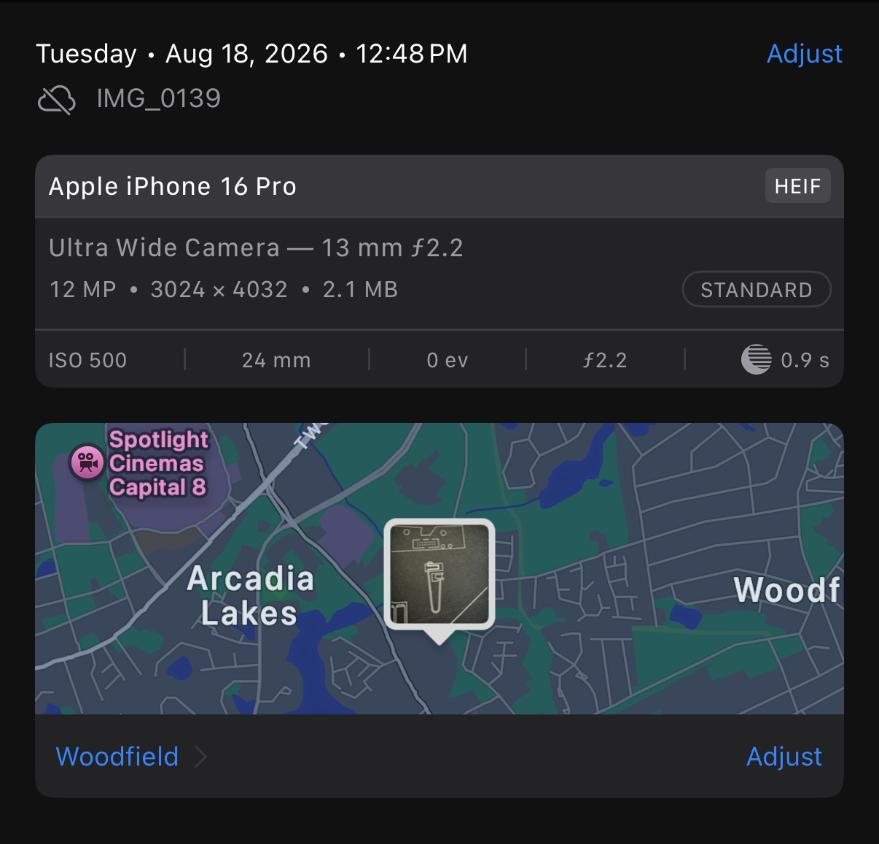
Both menus include a "Revert" button. Photos can only revert if it still has the original values. That was the starting clue: the originals had to be stored somewhere on the device.
Test setup
| Item | Detail |
|---|---|
| Device | Apple iPhone 16 Pro |
| iOS version | 18.3 |
| Database | /private/var/mobile/Media/PhotoData/Photos.sqlite |
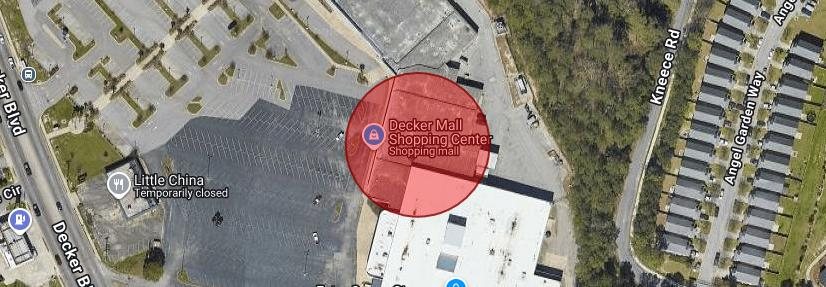
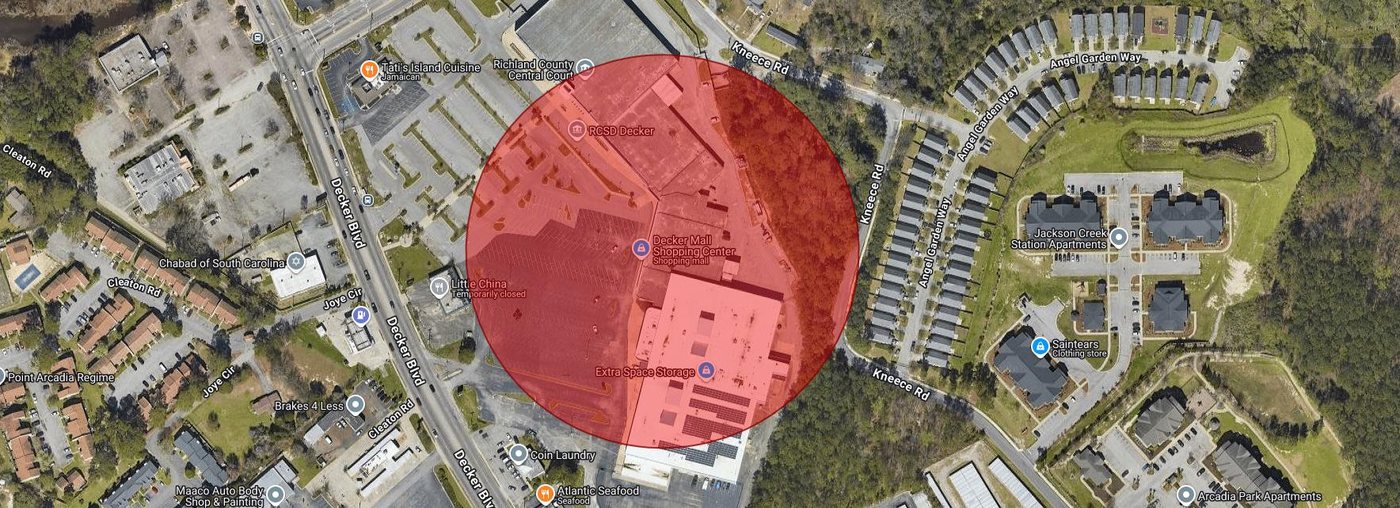
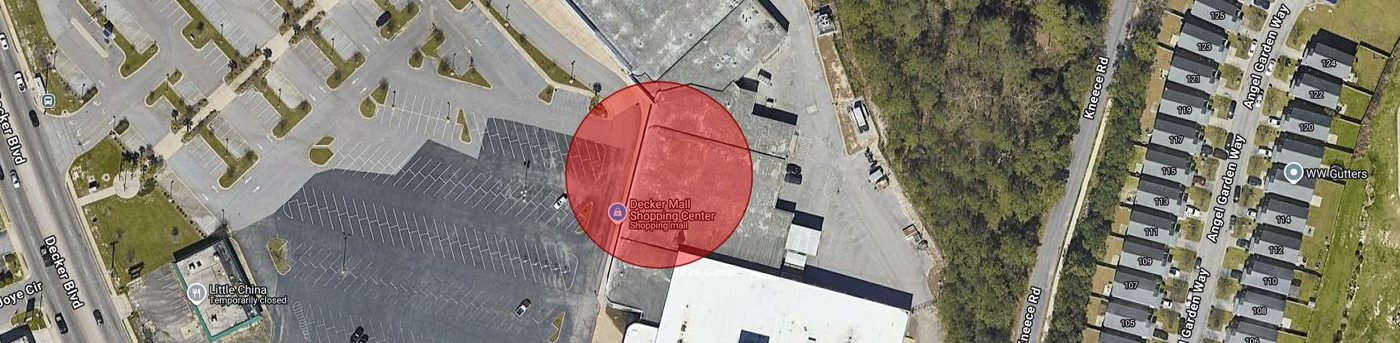
| Test date and place | 18 Aug 2026, RCSD Region 2 Substation, 2500 Decker Blvd, Columbia, SC (UTC-4) |
| Extraction | Full File System, Magnet Graykey, SHA256 of the zip and keychain plist verified |
| Analysis tools | 7-Zip, DB Browser for SQLite, exiftool |
Four photos were taken with the native Camera app at the same spot, then edited in Photos:
| File | Edit made in the Photos app |
|---|---|
| IMG_0139.HEIC | None. Control photo. |
| IMG_0140.HEIC | Location set to "No Location" |
| IMG_0141.HEIC | Location changed to 5623 Two Notch Rd, Columbia, SC (address typed and selected) |
| IMG_0142.HEIC | Capture time changed to 04:50 on the same date |
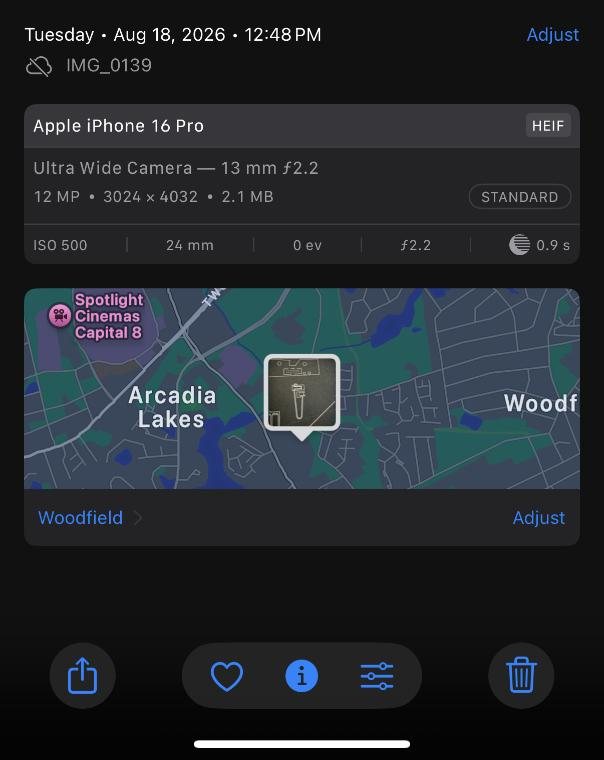
No changes
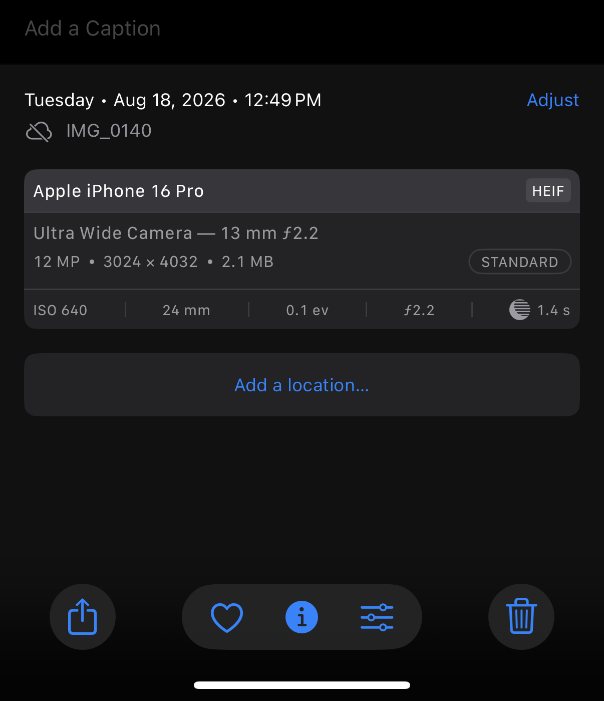
Location removed
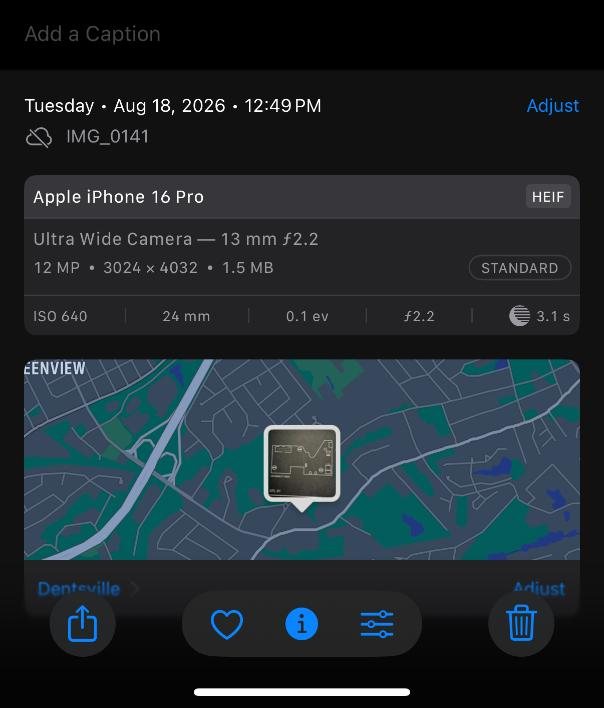
Location changed
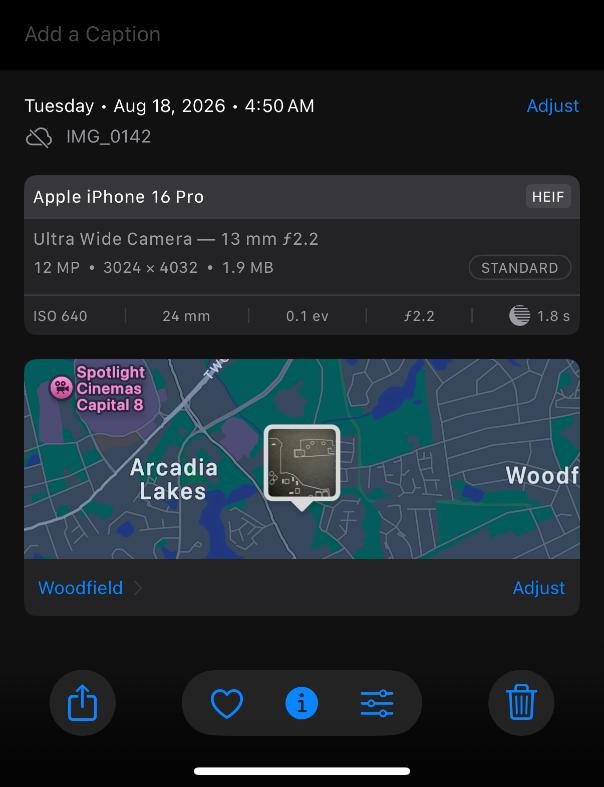
Time changed
These screenshots show what the user sees after the edits. Nothing on screen tells you a value was changed.
Where Photos.sqlite stores time and location
The same data lives in three tables. That duplication is what makes detection possible.
| Prefix | Table | Columns tested |
|---|---|---|
| ZA | ZASSET | ZADDEDDATE, ZDATECREATED, ZLATITUDE, ZLONGITUDE |
| ZAAA | ZADDITIONALASSETATTRIBUTES | ZEXIFTIMESTAMPSTRING, ZGPSHORIZONTALACCURACY |
| ZEXTA | ZEXTENDEDATTRIBUTES | ZDATECREATED, ZLATITUDE, ZLONGITUDE |
ZADDEDDATE is when the photo joined the camera roll. The other three time columns relate to when the photo was created. For a photo taken on the device itself, all four agree.
Results
IMG_0139: the control
Every source agrees. This is what an untouched photo looks like.
| Source | Time | Latitude | Longitude | Accuracy (m) |
|---|---|---|---|---|
| ZA | 12:48:46 | 34.0585888333333 | -80.9485333333333 | |
| ZEXTA | 12:48:46 | 34.0585888333333 | -80.9485333333333 | |
| ZAAA | 12:48:46 | 35.5554678247138 | ||
| EXIF | 12:48:46.521-04:00 | 34.058589 | -80.948533 | 35.55546782 |
IMG_0140: location removed
ZASSET lost the coordinates and the accuracy value flipped to -1.0. ZEXTENDEDATTRIBUTES and the EXIF data kept the original position.
| Source | Time | Latitude | Longitude | Accuracy (m) |
|---|---|---|---|---|
| ZA | 12:49:13 | -180.0 | -180.0 | |
| ZEXTA | 12:49:13 | 34.0586138333333 | -80.948625 | |
| ZAAA | 12:49:13 | -1.0 | ||
| EXIF | 12:49:13.503-04:00 | 34.058614 | -80.948625 | 122.7320399 |
The original horizontal accuracy (122.73 m) now exists only in the EXIF data. Photos.sqlite overwrote it. If you need the accuracy radius for a photo with a removed location, you have to pull it from the file.
IMG_0141: location changed
ZASSET now points to 5623 Two Notch Rd, about 3 km from where the photo was taken. The accuracy value changed to 1.0. ZEXTENDEDATTRIBUTES and EXIF still hold the real location.
| Source | Time | Latitude | Longitude | Accuracy (m) |
|---|---|---|---|---|
| ZA | 12:49:24 | 34.053193 | -80.9806143 | |
| ZEXTA | 12:49:24 | 34.0587 | -80.94863 | |
| ZAAA | 12:49:24 | 1.0 | ||
| EXIF | 12:49:24.988-04:00 | 34.0587 | -80.948631 | 27.99461967 |
ZA.ZADDEDDATE for this photo read 12:49:25, one second after the create time. That's normal rounding and not related to the edit.
One more detail. The ZASSET coordinates, 34.053193, -80.9806143, are the exact values Apple Maps stored for the same address in our MapsSync_0.0.1 test. That suggests Photos writes Apple's geocoded point for the address. A real GPS fix carries long, noisy decimals and a varying accuracy value. Short, clean coordinates with an accuracy of exactly 1.0 look like an address lookup, not a sensor reading. That's our inference from one photo, so test it before you lean on it.
IMG_0142: time changed
Only one column moved. ZASSET.ZDATECREATED took the user's new time. Every other time source kept the original.
| Source and column | Value |
|---|---|
| ZA.ZADDEDDATE | 2026-08-18 12:50:21 |
| ZA.ZDATECREATED | 2026-08-18 04:50:00 |
| ZAAA.ZEXIFTIMESTAMPSTRING | 2026:08:18 12:50:21 |
| ZEXTA.ZDATECREATED | 2026-08-18 12:50:21 |
| EXIF Create Date | 2026:08:18 12:50:21.717-04:00 |
| EXIF Date/Time Original | 2026:08:18 12:50:21.717-04:00 |
Location data for this photo was untouched and matched across all sources (34.058689, -80.948647, accuracy 35.98 m).
Note the adjusted value has zero seconds. The time picker in Photos sets hours and minutes only. A ZASSET.ZDATECREATED that ends in :00 while the other columns don't is one more sign of a manual edit.
Summary: what each edit changes
| Source | Location removed | Location changed | Time changed |
|---|---|---|---|
| ZA.ZLATITUDE / ZLONGITUDE | -180.0 / -180.0 | New coordinates | Original |
| ZEXTA.ZLATITUDE / ZLONGITUDE | Original | Original | Original |
| ZAAA.ZGPSHORIZONTALACCURACY | -1.0 | 1.0 | Original |
| ZA.ZDATECREATED | Original | Original | Adjusted time |
| ZAAA.ZEXIFTIMESTAMPSTRING | Original | Original | Original |
| ZEXTA.ZDATECREATED | Original | Original | Original |
| ZA.ZADDEDDATE | Original | Original | Original |
| EXIF in the file (time, GPS, accuracy) | Original | Original | Original |
How to detect an adjustment in your case
- Run the query below. It puts the
ZASSETvalues beside theZEXTENDEDATTRIBUTESandZADDITIONALASSETATTRIBUTESvalues for every asset. - Compare
ZA.ZLATITUDEandZA.ZLONGITUDEagainst theZEXTApair. A mismatch means the location was adjusted.-180.0inZASSETwith real coordinates inZEXTAmeans the user removed it. - Compare
ZA.ZDATECREATEDagainstZEXTA.ZDATECREATEDandZAAA.ZEXIFTIMESTAMPSTRING. A mismatch means the time was adjusted. - Check
ZAAA.ZGPSHORIZONTALACCURACYfor-1.0or1.0. - Export the file and run exiftool. Confirm the original time, coordinates and horizontal positioning error from the EXIF data.
- Report both values: what the user set and what the device recorded. The edit itself is evidence.
The Photos app shows the ZASSET values, and that's the table the user can change. Check which columns your forensic tool parses before you trust its capture time or location. When photo time or place matters to the case, go to the database.
The query
SELECT
          ZASSET.ZFILENAME AS 'ZA.ZFILENAME',
          ZASSET.ZDIRECTORY AS 'ZA.ZDIRECTORY',
          datetime('2001-01-01', ZASSET.ZADDEDDATE || ' seconds', 'localtime') AS 'ZA.ZADDEDDATE',
          datetime('2001-01-01', ZASSET.ZDATECREATED || ' seconds', 'localtime') AS 'ZA.ZDATECREATED',
          ZADDITIONALASSETATTRIBUTES.ZEXIFTIMESTAMPSTRING AS 'ZAAA.ZEXIFTIMESTAMPSTRING',
          datetime('2001-01-01', ZEXTENDEDATTRIBUTES.ZDATECREATED || ' seconds', 'localtime')
              AS 'ZEXTA.ZDATECREATED',
          ZEXTENDEDATTRIBUTES.ZTIMEZONENAME AS 'ZEXTA.ZTIMEZONENAME',
          ZADDITIONALASSETATTRIBUTES.ZTIMEZONENAME AS 'ZAAA.ZTIMEZONENAME',
          ZASSET.ZLATITUDE AS 'ZA.ZLATITUDE',
          ZASSET.ZLONGITUDE AS 'ZA.ZLONGITUDE',
          ZEXTENDEDATTRIBUTES.ZLATITUDE AS 'ZEXTA.ZLATITUDE',
          ZEXTENDEDATTRIBUTES.ZLONGITUDE AS 'ZEXTA.ZLONGITUDE',
          ZADDITIONALASSETATTRIBUTES.ZGPSHORIZONTALACCURACY AS 'ZAAA.ZGPSHORIZONTALACCURACY'
      FROM ZASSET
      LEFT JOIN ZEXTENDEDATTRIBUTES
          ON ZASSET.ZEXTENDEDATTRIBUTES = ZEXTENDEDATTRIBUTES.Z_PK
      LEFT JOIN ZADDITIONALASSETATTRIBUTES
          ON ZASSET.ZADDITIONALATTRIBUTES = ZADDITIONALASSETATTRIBUTES.Z_PK
      ORDER BY ZASSET.ZADDEDDATE ASC
Read this before you use the query
- Time zone.
'localtime'converts to the time zone of your analysis computer, not the device. That worked here because both were in Eastern time. For casework, remove'localtime'to get UTC and apply the offset yourself. - ZEXIFTIMESTAMPSTRING is a text string in the device's local time at capture. It carries no offset.
- Create date is not always capture time. With some third-party apps, the create date reflects when the photo was saved to the camera roll, not when it was taken.
Limits of this test
- One device, one iOS version, four HEIC photos taken with the native Camera app.
- Videos, Live Photos, screenshots and imported or saved images were not tested.
- Combined edits (time and location on one photo) and reverted edits were not tested.
- Copies that leave the device (AirDrop, Messages, export, iCloud sync to another device) were not tested. Don't assume an exported copy keeps the original EXIF.
Run the same four-photo test on your own device and iOS version before you rely on this in a report.
Bottom line
A user can change what the Photos app shows for a photo's time and place. In this test they could not change what the device recorded. The original capture time, coordinates and horizontal accuracy survived every edit, in ZEXTENDEDATTRIBUTES, ZADDITIONALASSETATTRIBUTES and the file's EXIF data. Compare those against ZASSET in Photos.sqlite and the edit shows itself.
Testing and original report by Michael Edwards, Digital Forensics Examiner, Richland County Sheriff's Department. DMS to decimal conversions used the FCC conversion tool.